
Your whole Merch by Amazon
catalogue at a glance
Swagio adds a dashboard to merch.amazon.com: every listing in one sortable table, expiring designs, tier usage and your royalties of the last 90 days. Free, and your data never leaves your browser.
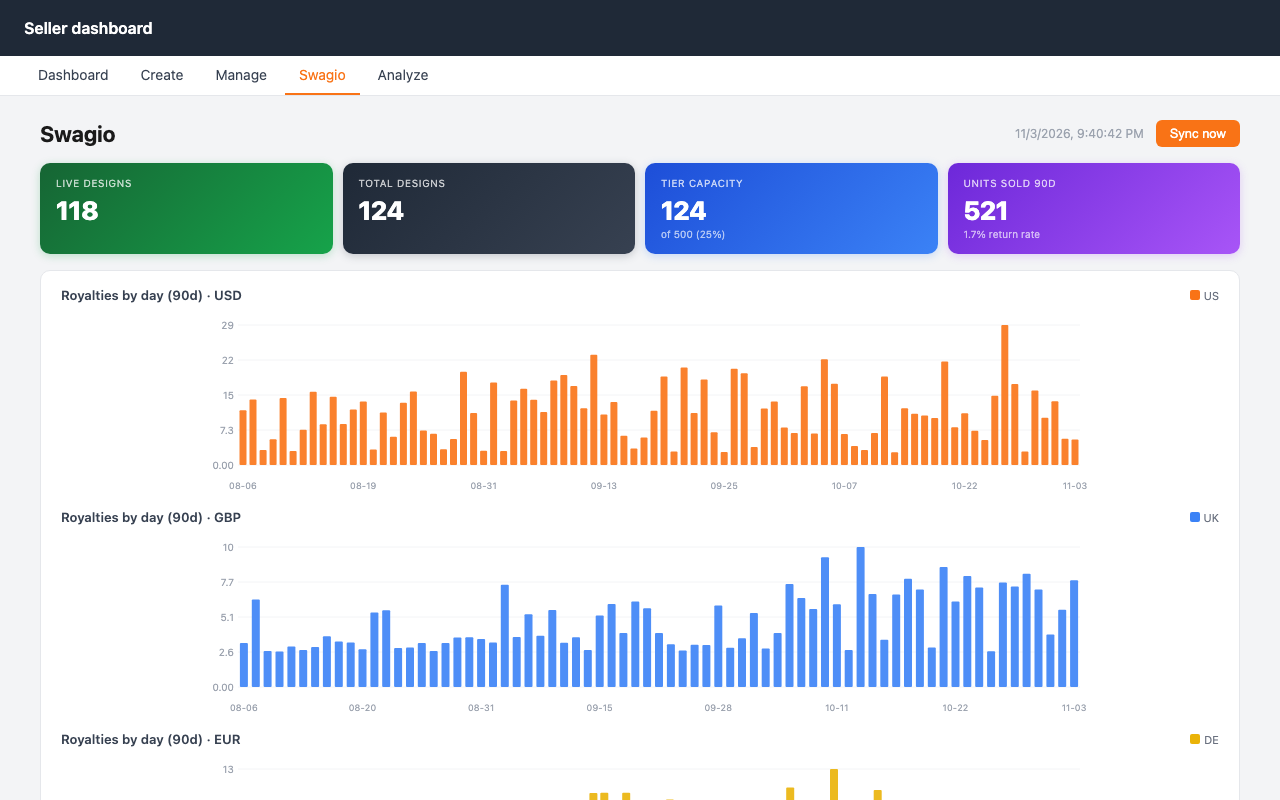
Everything you check every day, in one place
Swagio reads your own account with your existing session. Nothing to set up, no login.
All designs in one table
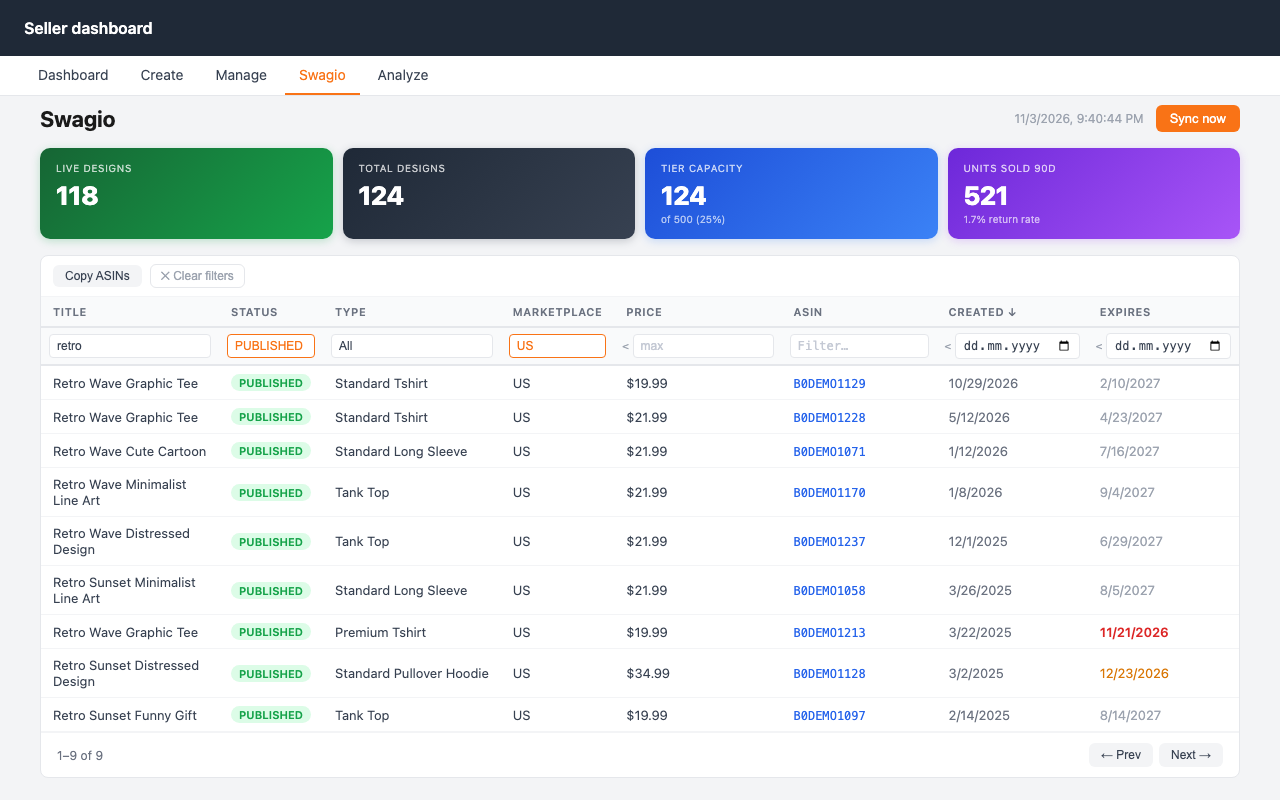
Title, status, product type, marketplace, price, ASIN, created and expiry dates, sortable and 200 rows per page, even for 10,000+ listings.
Filters that keep up
Filter by title, ASIN, status, product type, marketplace, maximum price and dates. Filters stay set while you work.
Expiring listings
Listings that expire within 30 days are red, within 90 days amber, so you can act before they are removed.
Copy ASINs
One click copies the ASINs of the filtered listings, ready for ad campaigns or spreadsheets.
Sales and royalties
Units sold, return rate and royalties per day for the last 90 days, one chart per currency, split by marketplace.
Tier limits
Tier capacity in the Swagio tab; account status, tier limit and today's uploads in the toolbar popup.
Find the right listings fast
Combine filters, sort by any column and copy the ASINs of exactly what you see. Works with all seven Merch marketplaces (US, UK, DE, FR, IT, ES, JP); large catalogues load in the background, and an interrupted first sync resumes where it stopped.
Up and running in a minute
- Install
Add Swagio from the Chrome Web Store and pin it to the toolbar. - Open Merch
Sign in at merch.amazon.com as usual. A new Swagio tab appears in the menu. - Sync
Click Sync now. After the first full sync, later syncs only fetch what changed.
Private by design
Swagio has no server. It reads your data from merch.amazon.com while you are signed in and stores it only in your browser. Nothing is sent to us or to anyone else: no account, no tracking, no ads. Read the privacy policy.